
- Home
- In-depth Articles
- The Case For Powerpoint
The Case For Powerpoint... Something of a hot take
– By Tom Lynch
For a while now, it’s seemed a pretty fashionable move to throw shade at using PowerPoint as a teacher. Following a brief scroll through LinkedIn, ‘A slideshow is not a lesson plan’ rings in my ears - complementing the images of AI-generated posters burnt into my retinas. Instead, those at the forefront of explicit instruction and Teaching like a Champion, push the use of visualisers and tablet / OneNote combinations.
Many such people share their own positive experience using visualisers / OneNote and often cite the superior lesson quality of other teachers they’ve observed across a range of schools. I think there are two important points to reflect on when considering this anecdotal evidence.
- 1. Teachers who have made the switch to visualisers / OneNote are likely to be more pedagogically engaged, thus their lessons are superior for a whole range of other reasons. The teacher who clocked out of caring about what makes a good lesson is unlikely to have made the switch.
- 2. Those using visualiser / OneNote may be working at schools where routines and behaviour systems are so tight that you could do just about anything at the front of the class and it would look effective compared to a school that does not have the appropriate foundations in place.
I am not completely against the use of these tools. When drawing scale diagrams I’ll use a visualiser, and when annotating exam papers I’ll often use OneNote. But I still feel as though my best lessons are centred around PowerPoint. Setting aside the thrill of chipping in with what seems to be something of a controversial take, I think people need to hear this before they commit to a move away from PowerPoint. Perhaps even more crucially before they try and convince their department (or even whole school) to do so!
One change I would recommend is getting a graphics tablet so that you can face the class whilst ‘writing on the board’. See screenshot from Amazon below.

My decision-making is far better before a lesson than during a lesson
This is perhaps the most important principle at play here. In many people's arguments against PowerPoint, they suggest that a predetermined slide deck is too rigid to be responsive in class and that working from a ‘blank canvas’ enables you so adapt as you go. I think this is ignoring the fact the most classes are so incredibly predictable (‘oh yeah, pupils always get that question wrong’) that the point becomes almost redundant. Instead the more pressing question becomes: when do I have the most time and mental clarity to make good decisions about:
- the questions I want to ask them and how I want them to respond?
- the images I want them to see and when?
- the prompts I want them to discuss and the conditions for them to do this?
- the examples I want to model to them?
- the order in which all of these things happen?
These are not trivial matters - how you craft and sequence the atoms of a lesson greatly impacts a students ability to ‘follow along’ with the intended learning. Deciding this on the spot mid-lesson requires incredible presence of mind which can be difficult to achieve with all else going on. Particularly as we approach flu season, where a few unconvincing coughs can get the atmosphere in the room feeling a little on edge.
Take the example of slides below.

I first wanted to remember to check that pupils were indeed interpreting the diagram as I expected. I’d supplement this with a ‘3,2,1’ *points to the class* … ‘BLUE!’. Anything other than 100% certainty here and I’ll take a second to remind them. I’m often adding blank slides to quickly make room for an extra sketch or two if needed. Crucially though, I’m not relying on my artistic prowess as the primary means of showing pupils scientific diagrams. Sometimes you have to concede that third-party graphics (shout out Save My Exams) are far clearer than we could ever manage.

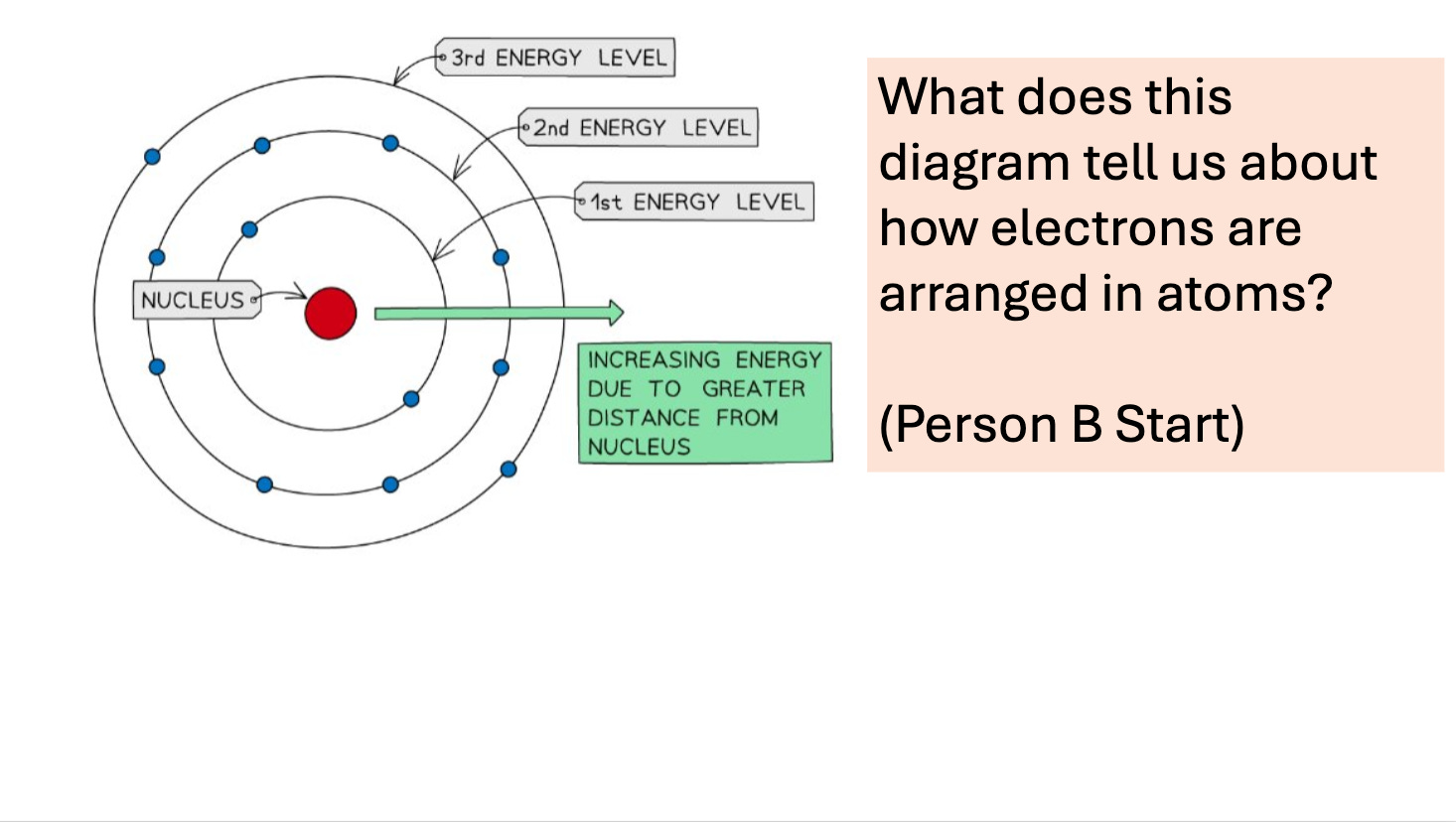
Perhaps a talking point for another blog, but I find that moments of short discussion amongst pupils is the perfect yin to the yang of silent independent work. Setting it up correctly is not easy so planning this before the lesson is paramount. It certainly helps for the discussion question to be visible and I’ve reminded myself to set up Partner A / Partner B pairs to dictate who starts the conversation. Would I give this slide to a bottom set? No. But this was a top set and given their fairly predictable nature I was pretty sure this was an appropriate way to familiarise themselves with this new idea that electrons further from the nucleus had greater energy than those closer to the nucleus.
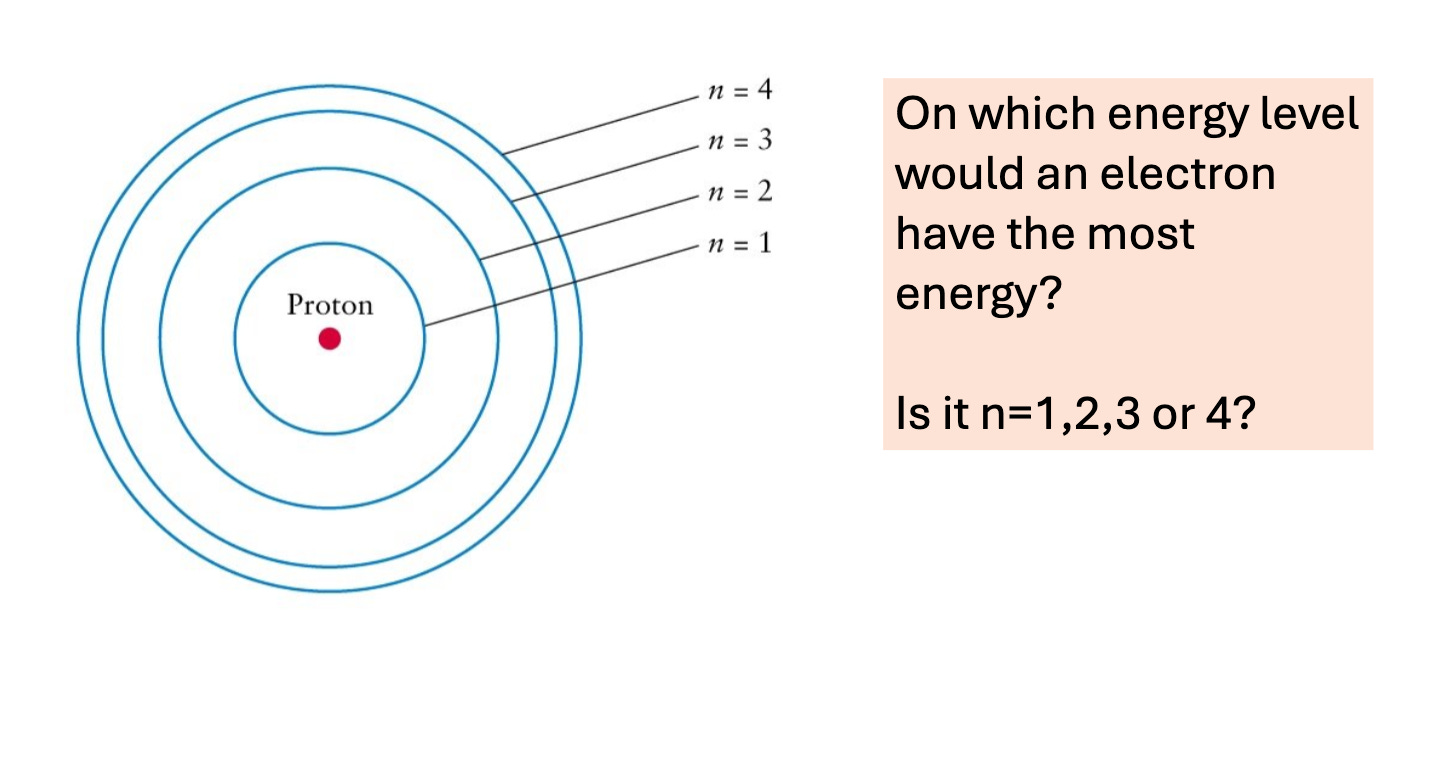

Now I want to check their understanding. I was pretty sure pupils would all get this right but it's always best to check and a high success rate is good for the confidence of pupils.

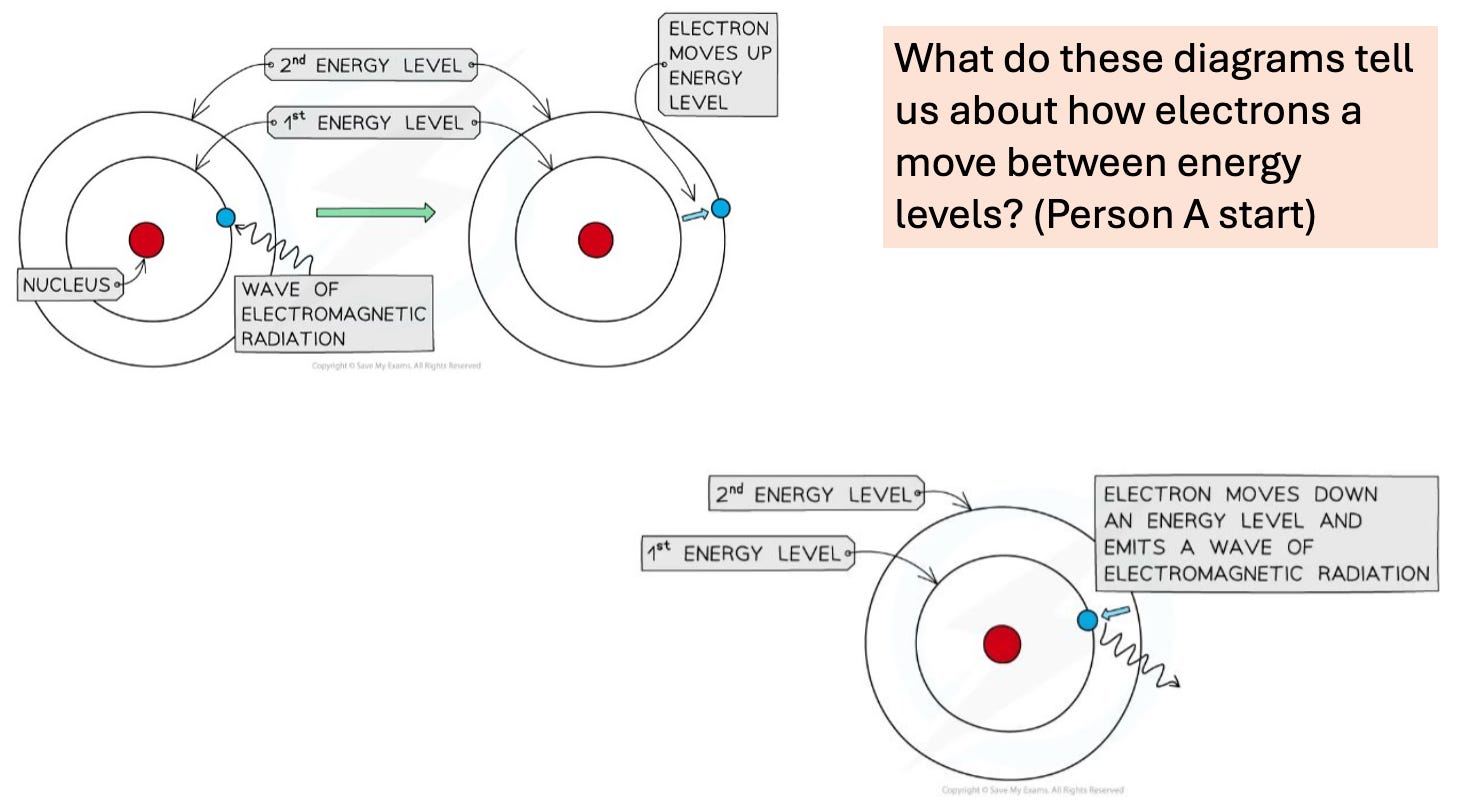
There is an obvious stacking of knowledge now - starting from the simple idea that electrons further from the nucleus have more energy, to energy either being absorbed or emitted in the form of EM radiation as electrons move up or down energy levels. This was a very deliberate sequencing which I could have easily messed up had I been making these decisions on the spot mid-lesson.
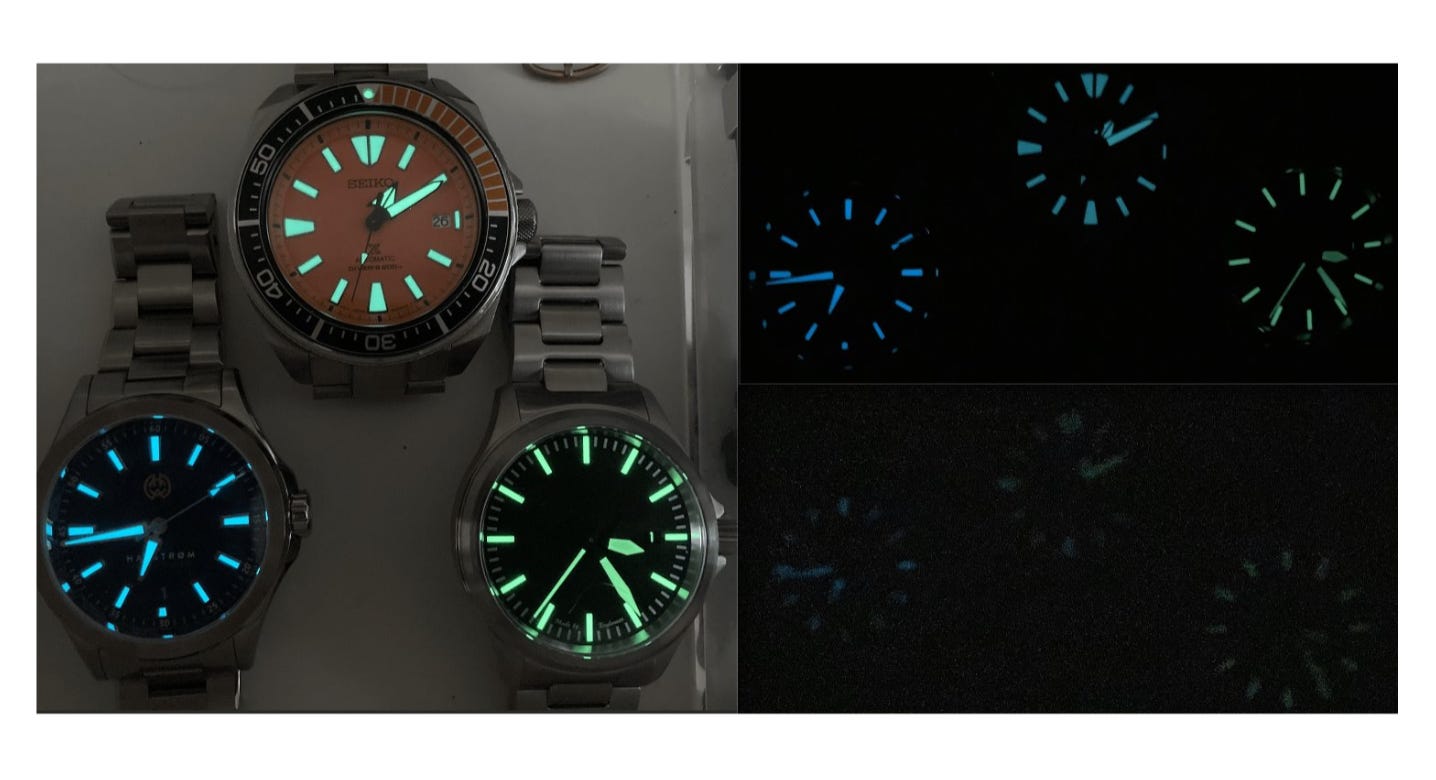

Possibly I could have arranged an in-class demo of something which was actually glow-in-the-dark to demonstrate the absorption and emission of light by these electrons. In its absence however, a picture on a powerpoint is far better than a vague rambling from me accompanied by a shoddily drawn Rolex. It’s also possible that this may have been better shown before the energy level transition discussion in line with introducing the concrete before the abstract. Regardless, I’m more likely to make the best decision on this before the lesson rather than during.

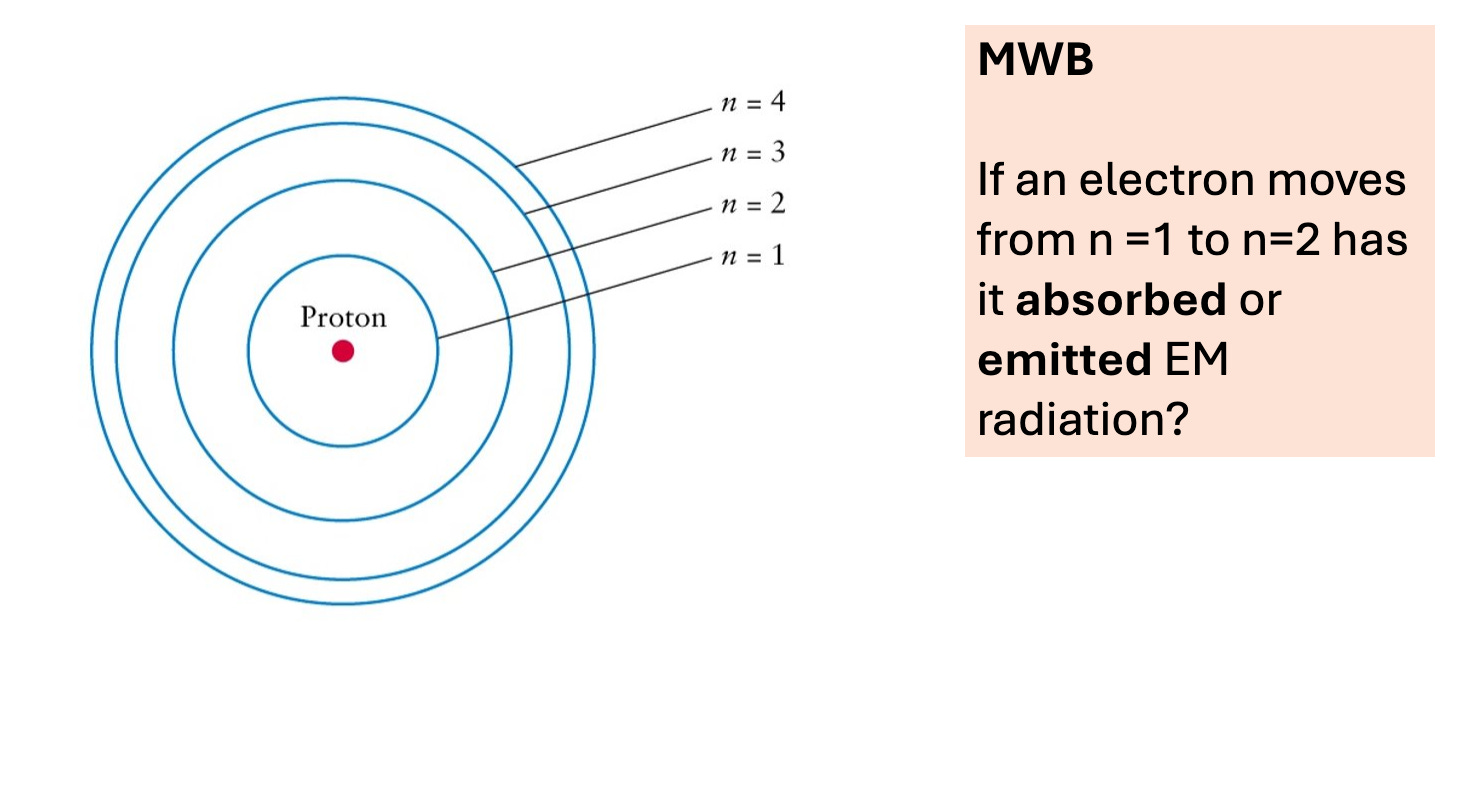

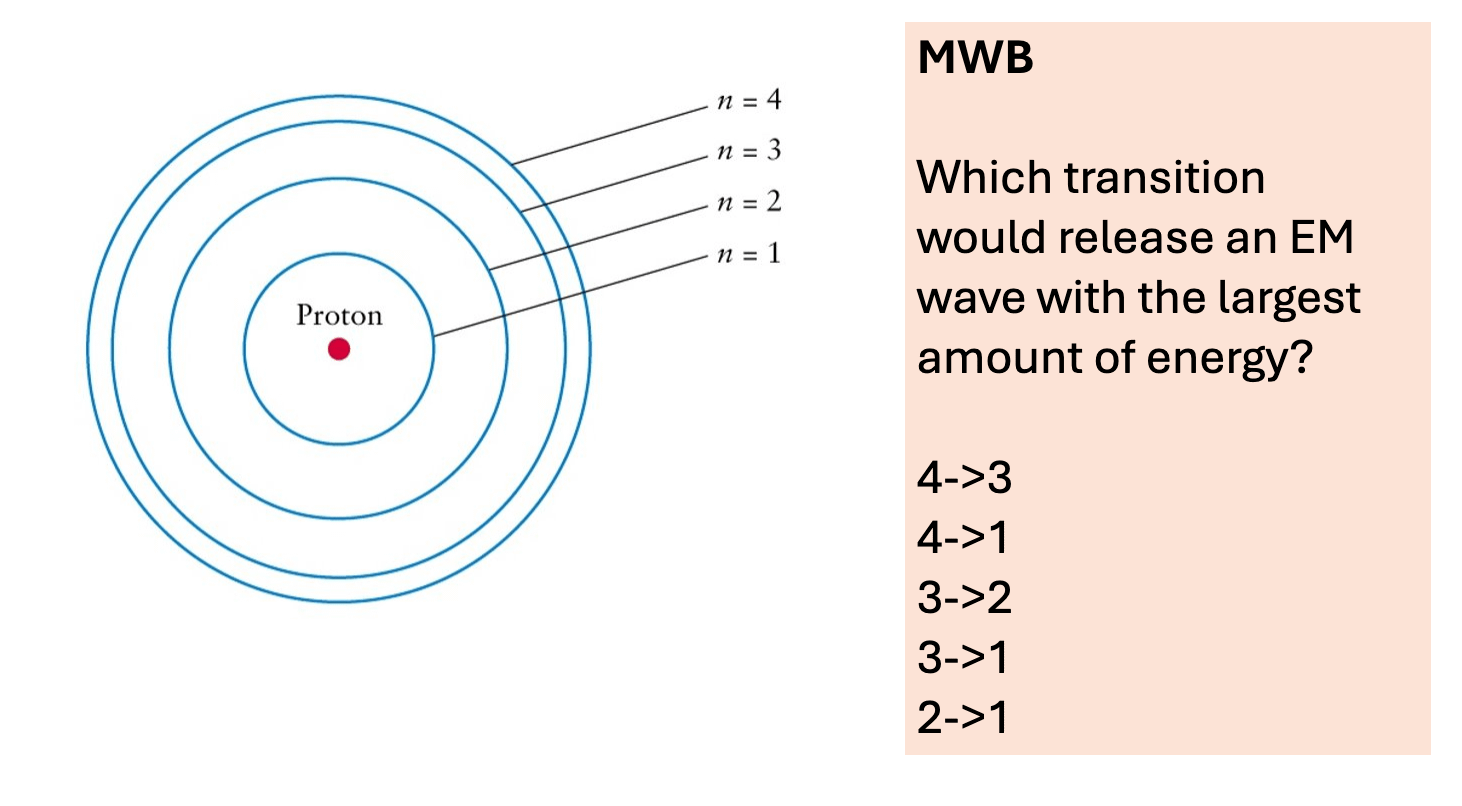

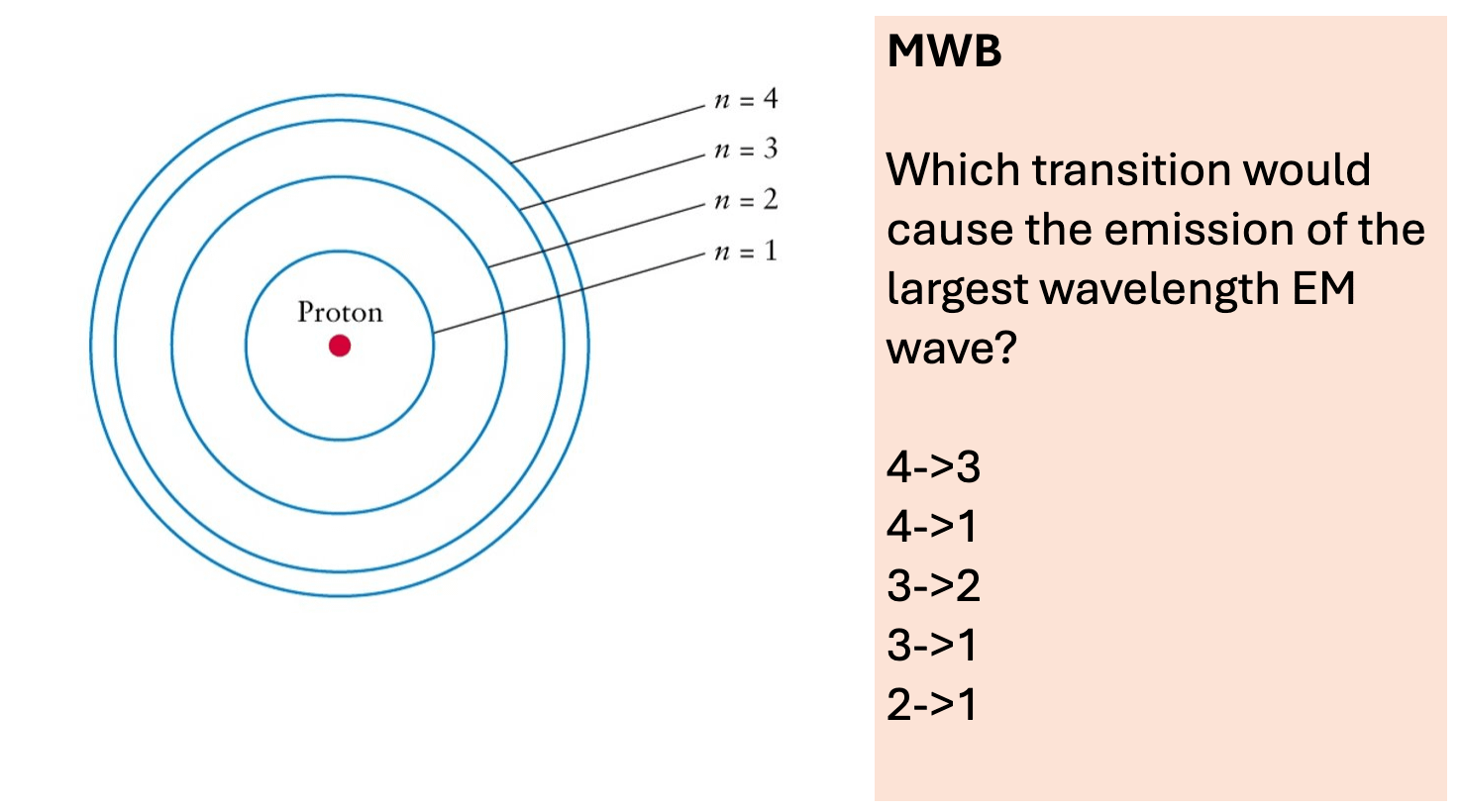
The sequence of questions I’ve asked here were ordered very deliberately. They are also quite complex questions which, had I delivered them orally, may have been lost in a pupil's head before they’d had a chance to construct an answer. How many times during a pub quiz have you had to ask them to repeat the question? Holding a list of world landmarks in your head takes up the precious cognitive bandwidth required to estimate which of them is furthest from London as the crow flies.
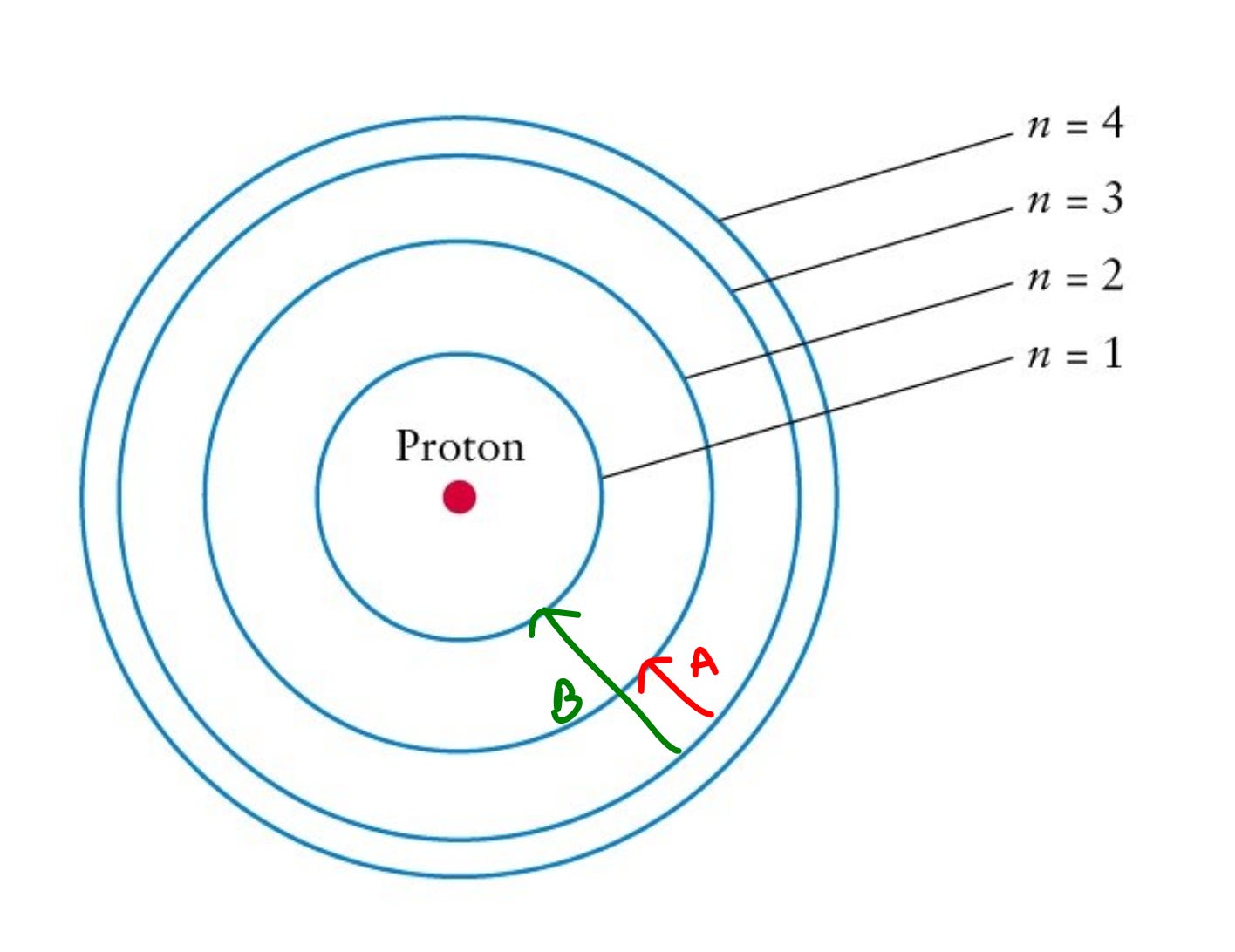
Interestingly, the middle question was answered incorrectly by most students. This is where the critics would argue that the lesson derails. Because, yes, the use of PowerPoint means my index finger cannot possibly do anything other than smash straight down onto the ‘next slide’ button and zoom straight on with the lesson.
Luckily, I was able to show restraint and addressed the misconception before annotating the image and asking a simpler version of the question. In which transition does an electron lose more energy: A or B? Then I asked the original question again.

Often my PowerPoints are 30 or 40 slides long, with minimal content and small, intentional variation from one slide to the next. Designing this learning journey is, to me, the essence of being a teacher. I think very, very carefully about the order in which content should be introduced and how I’ll assess understanding in a reliable way.
Dispelling the myths
Perhaps I’ve dealt with some of these already but let me anticipate the arguments from the PowerPoint haters.
• Most powerpoints are overloaded with information and become a lecture
Well, they don’t need to be. Part of why I wrote this blog was to share what my slides often look like. I read loads about other people's teaching but I never really get to see their resources. I’d like to try and change that a bit and I think school leaders have a responsibility to model this to staff (yes, this means staff INSET sessions shouldn’t be a lecture overloaded with information).
Most PowerPoint critics deem teachers capable of changing their entire working practice to embrace new technology, yet entirely incapable of editing some slides.
• PowerPoint is too rigid and you can’t adapt as you go
I would say there are 3 main ways to combat this
- Add blank slides ahead of the lesson at points where you feel further explanation/questions may be needed. It’ll then be there as a space to doodle away to your hearts content in a very visualiser/OneNote fashion when needed.
- Use the ‘see all slides’ button. Easily reference back to early examples, definitions, questions or diagrams. Yes, you may plan a particular optimal sequencing but you can jump around as desired.
- Press ‘b’. This blacks out your screen (the square button on the popular Kensington clicker does the same thing). Sometimes you need to take the pupils’ focus away from the screen and onto something else - a demo, a comparison of mini whiteboard answers or simply something you are saying which isn’t enhanced by the content on the board.
The pre-planned timeline that PowerPoint offers is part of the reason I like it so much. When I’ve acted in a more ‘off the cuff’ fashion in the past, I’ve often delivered two very different lessons to two classes. Clearly, one of them got the short end of the stick.
• Animated examples are not as good as hand drawn modelled examples
Agreed. Don’t do animated examples. Instead, signpost yourself towards a preferred method. Have a blank slide labelled ‘modelled example’. This tweet shows how you can add a visualiser display into your slides – with thanks to SecondaryEnglish

I’m intrigued to hear the rebuttals to any of the points I’ve made. More than anything I’m keen to dispel the idea that:
PowerPoint = Bad teacher
Visualiser/OneNote = Good teacher
Thanks for reading,
Tom
Hive guest writer Tom Lynch is Head of Science at Elthorne Park High School in Ealing. A Physics graduate from Manchester University, Tom is well-known among his peers for his wise, accessible and pithy articles about Teaching & Learning and the opportunities / challenges that AI presents for education. Tom's writing can also be found on his 'Teacher Vibes' Substack page here.

